Plays Nice With Your Interface
USB Audio Interface Guitar Tuner for MacCore Audio. Full Sample Rate. Sub-50 ms.
Tune through whatever you record through. Chromatic Tuner reads any USB audio interface or Aggregate Device macOS recognizes — Focusrite, Universal Audio, MOTU, RME — at full sample rate via Core Audio, with sub-50 ms perceived latency.

- macOS 14+
- Audio Never Leaves Your Mac
- $6.99 · One-Time
- Now on iPhone →
Reads Your Interface at Full Rate
Tune Through Your USB Audio Interface, the Way the Signal Actually Arrives
If you record through a Focusrite Scarlett, a Universal Audio Apollo, a MOTU M-series, an RME Babyface, or an Aggregate Device you wired up in Audio MIDI Setup, you don't want a tuner that hands the signal off to a browser tab or a phone app. You want the same Core Audio path your DAW uses.
Chromatic Tuner asks macOS for whatever input device you've selected in System Settings → Sound, then reads it at the device's native sample rate — 44.1, 48, 96, or 192 kHz. The YIN analysis window adapts (4096 samples = ~85 ms at 48 kHz; correspondingly shorter at higher rates), so accuracy stays at ±1¢ in real-world conditions regardless of what your interface is running.
Latency from pluck to display is under 50 ms perceived. That's possible because the app doesn't introduce a software buffer chain — Core Audio talks to the interface driver, the driver talks to USB, the meter responds. Browsers add 12–60 ms of WebAudio jitter on top of all that, plus auto-gain control that fights the YIN algorithm. Native gets out of the way.
Aggregate Devices work too. Build one in Audio MIDI Setup (multiple interfaces, clock source, drift correction) and Chromatic Tuner picks it up the same way macOS does. Useful if you're routing a guitar DI through one interface and reference audio through another — the tuner reads whatever input you've selected.
Why the Mac App
Always One Click Away.
Chromatic Tuner lives in your menu bar: one click opens it in under 200 ms, and it works fully offline. Float the window on top while you record, or let it start with your Mac.
It listens to whatever you play through, the built-in mic, a USB audio interface or an Aggregate Device, at full sample rate via Core Audio, right beside your DAW. The free browser tuner is there for a quick check anywhere; the Mac app is the one that’s always ready.
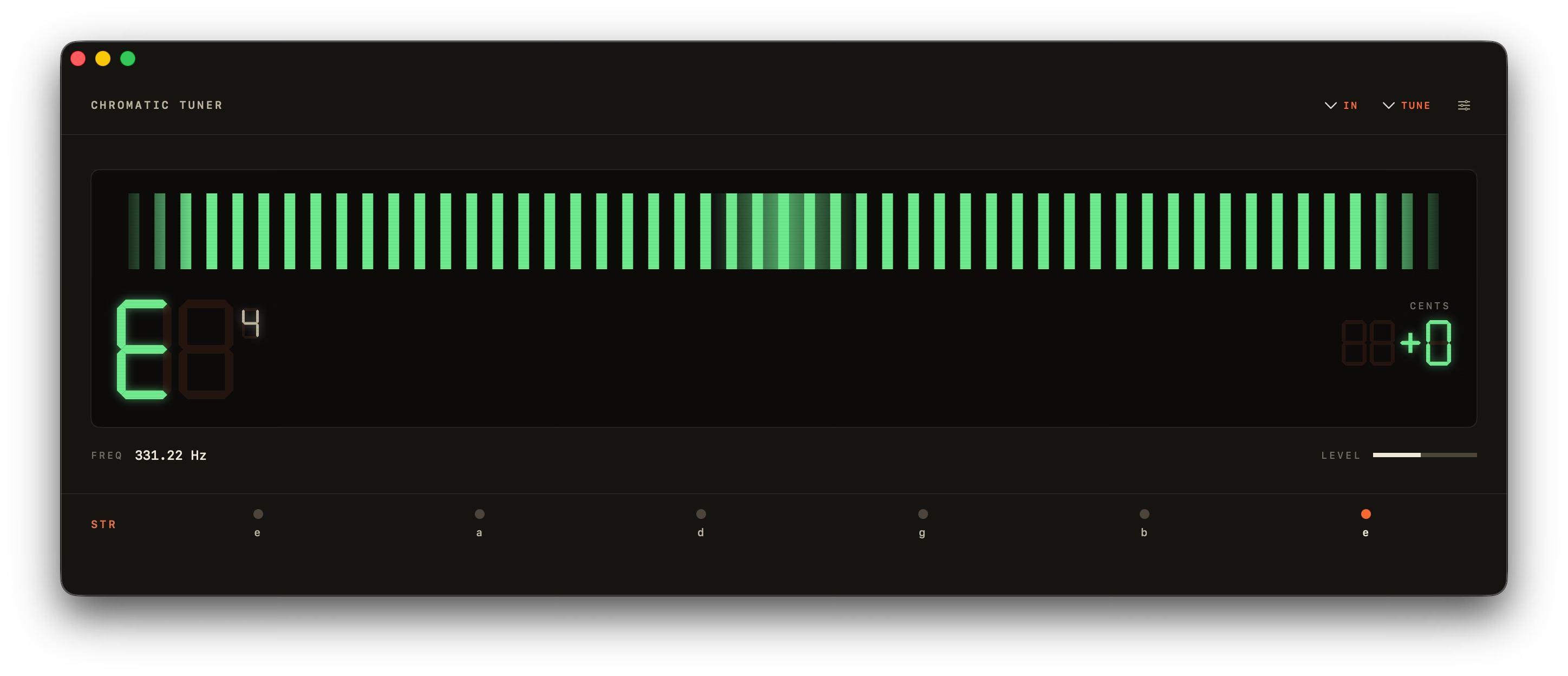
The Meter and the Strobe.
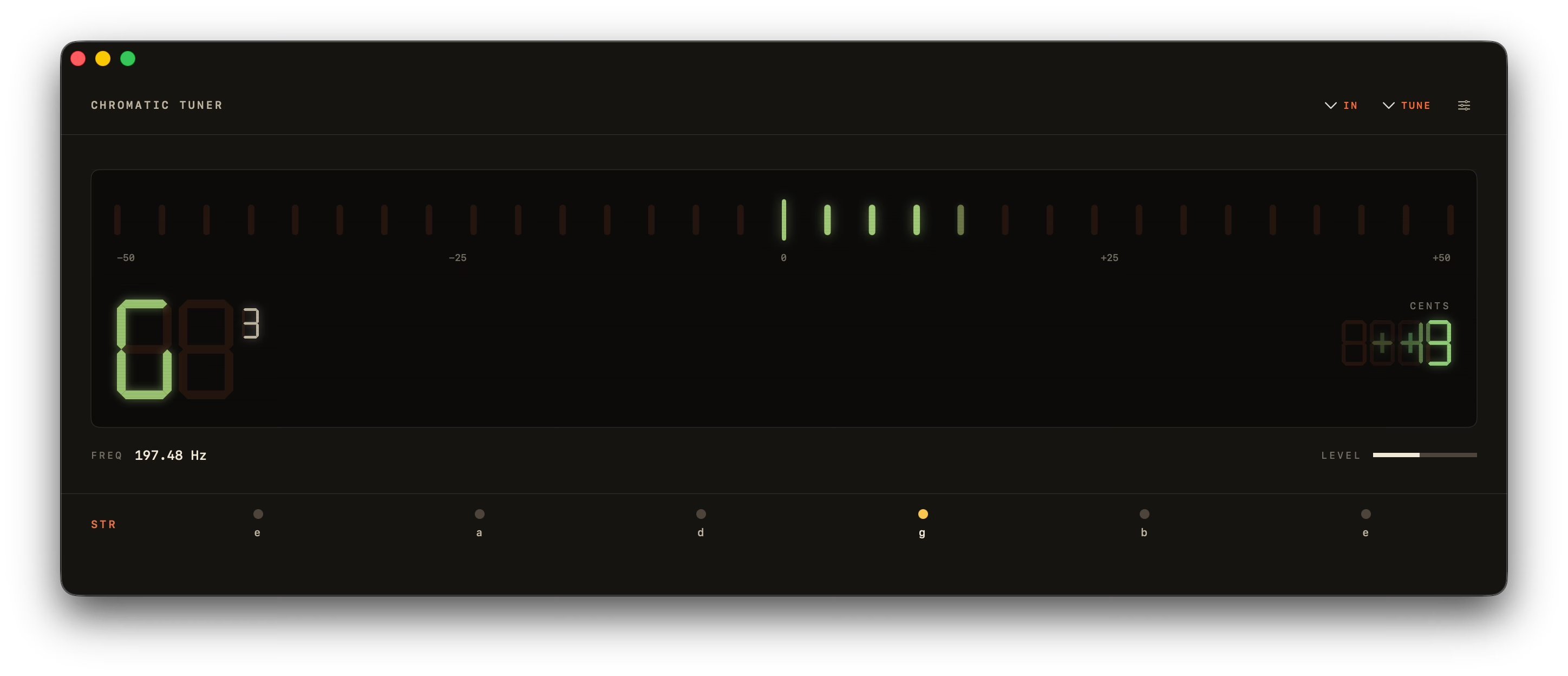
The 31-LED bar is what you reach for when plucking — segments blend orange to green and snap to in-tune in under 50 ms.
The Peterson-style rotating strobe is the one for sustained intonation work. Bands lock inside a hard ±0.5 ¢ deadband, so "in tune" is genuinely stationary — not just close. A vintage analog needle and a minimal drifting sine wave round out the four.
What's Inside
Nine Things, Done Well.
A tuner should be on screen for fifteen seconds, do its job, and get out of your way. Everything below earns its place by that rule.
- −500+50CentsFreq82.40 Hz
YIN Pitch Detection
A0 to C8 (27.5 Hz – 4186 Hz), accurate to ±0.14¢ on pure tones and ±1¢ in real use. Octave-error correction stops a plucked string reading an octave high.
Four Display Modes
An LED bar, a Peterson-style strobe with a hard ±0.5¢ deadband, a vintage analog needle, and a minimal drifting sine wave — one toolbar click apart.
- BPM
Built-In Metronome
40–240 BPM, meters from 2/4 to 7/8, tap tempo and an accented downbeat — in its own window, so it sits open beside the tuner while you practise. Space starts it.
- — HzTap a string to hear it
Reference Tones
Tap a string to hear a clean sine.
Instrument Presets
17 across guitar, bass and strings.
Lives in Your Menu Bar
A 360 px popover, one click away.
- A4TR 0Hz
Custom A4 + Transpose
349–499.9 Hz, plus ±11 semitones.
- StoppedSpace123456⌘WPress Space or 1–6
Keyboard-First
Space starts and stops. ⌘W, ⌘Q.
Light, Dark, System
Follows macOS, or pin it either way.
Design
Lives Wherever You Need It.
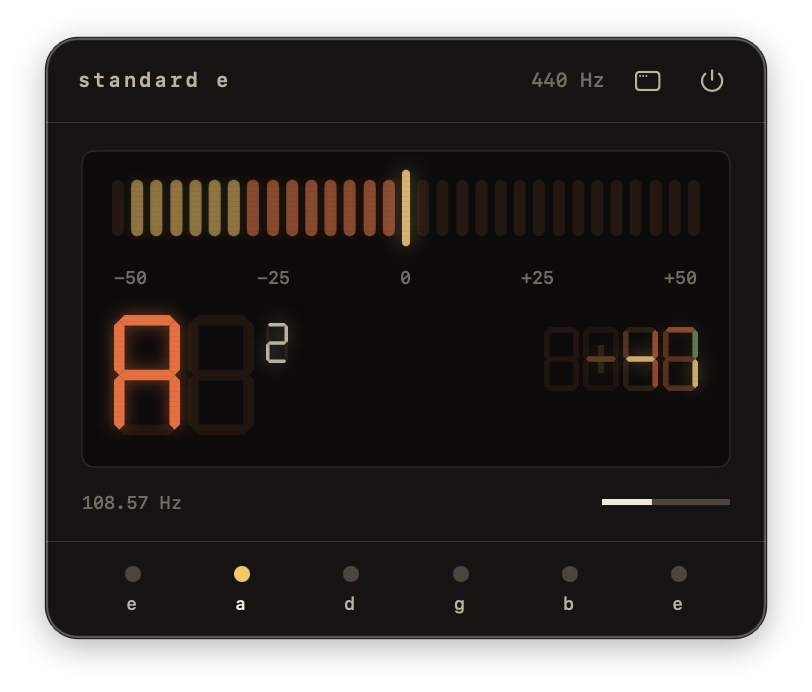
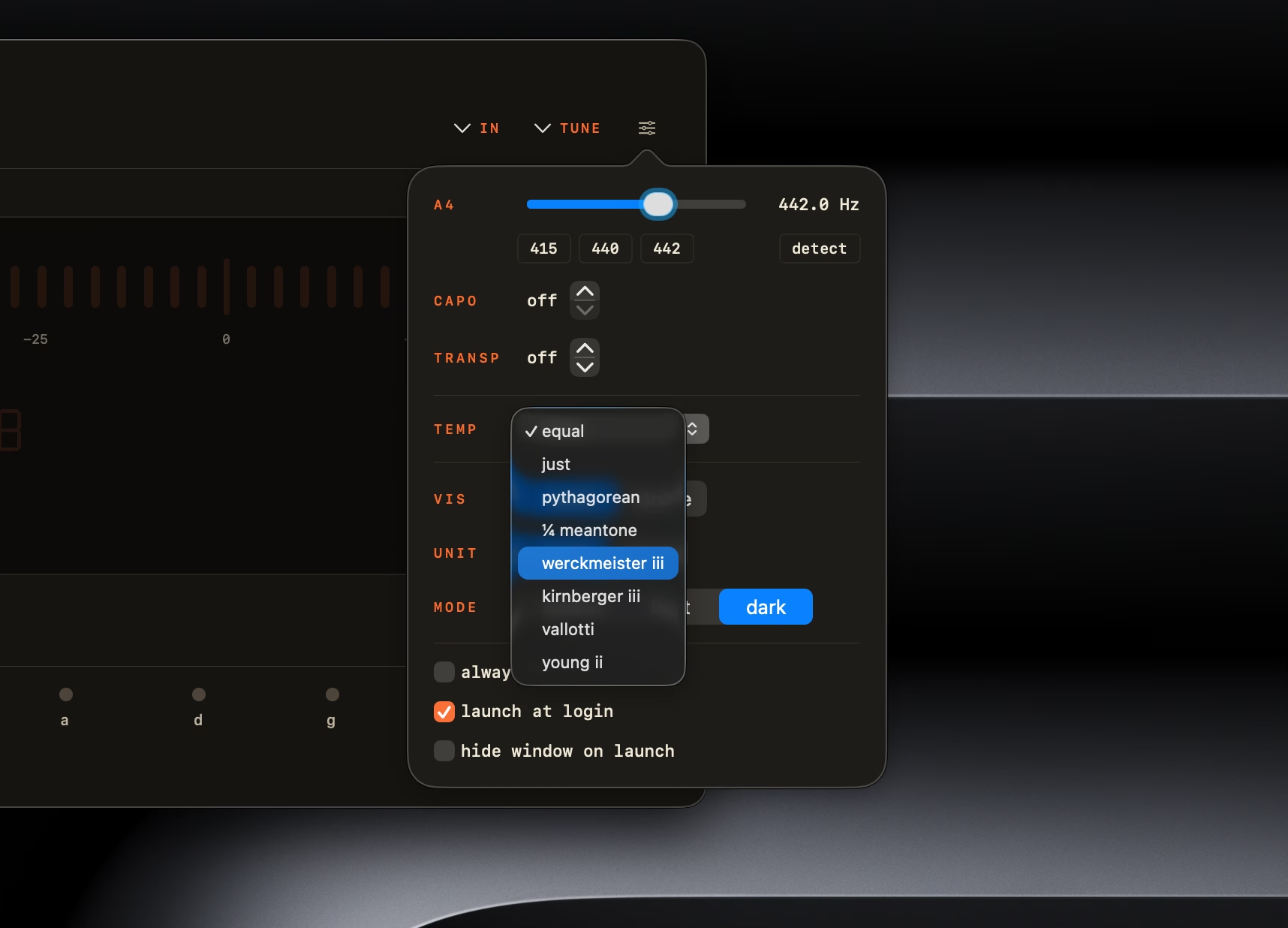
A 360 px popover that drops out of the menu bar between takes. Customization tucked behind a flyout. A dock icon that earns its slot. Every surface modeled on real hardware, then matched to your system theme.
How It Works
Three Steps. The Third One Is the Only One You'll Do Twice.
- 01
Open Chromatic Tuner
Drag from the DMG to Applications. Launch from Spotlight or your menu bar. No account, no activation.
- 02
Allow Microphone Access
macOS asks once. Approve, and your default input — built-in mic, USB interface, whatever — is wired in. Audio stays on-device.
- 03
Pluck a String
The LED meter sweeps to the closest note. Amber means off, green means in. Tune until it stays green for a beat.
iPhone & Apple Watch
Also in Your Pocket.
ChromTuner: Guitar Tuner brings the same YIN engine to iPhone and Apple Watch, free: chromatic mode, Standard E and Drop D on the LED meter or analog needle, a gentle haptic tap the moment a string locks in, a metronome and string-life tracking. One $6.99 purchase adds the strobe, historical temperaments, every tuning and the rest.
Free forever — no ads, no account, no subscription.
ChromTuner for Mac
One Purchase. Forever Yours.
Today's Total
One-Time · Lifetime 1.x Updates
No refunds for a change of mind. If it doesn't work as described and we can't fix it, you get your money back.
- Chromatic Tuner — Universal Binary (Apple Silicon + Intel)
- Runs on macOS 14 Sonoma or later
- Lifetime 1.x Updates Included
- Direct Email Support From the Developer
Prefer the Mac App Store? Same app, same price.

After You Pay
- 1Receipt to Your Email
- 2Download link, valid 7 days (expired? open it for a fresh one)
- 3Drag Chromatic Tuner Into /Applications
This buys the Mac app. ChromTuner Pro on iPhone (bought in the iPhone app) and Chord Map Pro (on chromtuner.com/chords) are separate one-time purchases.
FAQ
Questions, Answered.
Quick answers about temperaments, instruments, accuracy, and what actually runs on your Mac.
Does Chromatic Tuner Work With My USB Audio Interface?
Yes. Chromatic Tuner uses Core Audio at full sample rate with any USB interface or Aggregate Device macOS recognizes — Focusrite, Universal Audio, MOTU, RME, and others. Set your input device in System Settings → Sound and the app picks it up.Do I Need an Audio Interface?
No. Chromatic Tuner uses your Mac's built-in microphone by default, and works with any USB audio interface or Aggregate Device that macOS recognizes.What's the Input-to-Display Latency?
Sub-50 ms perceived. Chromatic Tuner reads your interface at full sample rate via Core Audio, so the meter responds the moment you pluck. Browser-based tuners typically add 12–60 ms of WebAudio jitter on top.How Accurate Is the Tuner?
Chromatic Tuner is accurate to ±0.14 cents on pure sine tones and ±1 cent in real-world use. The display turns green within ±5 cents; for studio work, keep going until the reading sits at 0. Detection uses the YIN time-domain algorithm with a 4096-sample window, octave-error correction for plucked strings, and median-of-5 + exponential smoothing for stable readings at ~22 Hz.How Is Chromatic Tuner Different From Free macOS Tuners?
Chromatic Tuner runs natively on Core Audio, reads any USB audio interface and tunes to ±1¢ in real-world use, with no ads, no telemetry and no account. Free tuners typically run in a browser tab with whatever microphone the browser picks or hand the signal to a phone's built-in mic — auto-gain and noise suppression baked in before the tuner ever sees it. The $6.99 buys lifetime 1.x updates and direct email support.Does It Run on Intel Macs and Apple Silicon?
Yes — both. Chromatic Tuner is a universal binary that runs natively on Apple Silicon (M1/M2/M3/M4) and Intel Macs. macOS 14 Sonoma or later required.Does Chromatic Tuner Work With Aggregate Devices on macOS?
Yes. Any input device that appears in System Settings → Sound — including Aggregate Devices created in Audio MIDI Setup — works with Chromatic Tuner via Core Audio at the device's full sample rate.

Ready to Tune?
Native macOS. Offline. ±1¢ accuracy. Yours for $6.99 — one-time, lifetime 1.x updates.
Buy for $6.99Specifications
The Technical Bits
| Operating System | macOS 14.0 (Sonoma) or later |
|---|---|
| Architectures | Apple Silicon (arm64) + Intel (x86_64), universal binary |
| Pitch Algorithm | YIN, 4096-sample window with 50% overlap |
| Pitch Range | A0 (27.5 Hz) → C8 (4186 Hz) |
| Accuracy | ±0.14¢ on pure sines, ±1¢ real-world |
| Update Rate | ~22 Hz |
| Latency | Sub-50 ms perceived |
| Smoothing | Median-of-5 + exponential, 70 Hz high-pass before detection |
| Audio Input | Built-in mic, USB interfaces, Aggregate Devices, hot-plug detection |
| Temperaments | Equal plus 7 historical, with movable tonic for the historical ones |
| Instrument Presets | 17 across guitar, bass, bowed strings, folk strings, chromatic — plus capo |
| File Size | ~5 MB DMG |
| Network | Not needed to tune · optional daily update check |
| Privacy | Sandboxed, Hardened Runtime, Privacy Manifest, no telemetry |
| Updates | Lifetime updates for the 1.x line, included with purchase |
| License | Personal one-time purchase, single user |
Related