Lives in Your Menu Bar
Menu-Bar Guitar Tuner for MacOne Click From the Menu Bar. 360 px Popover.
Tune without breaking your workflow. A 360-pixel popover drops out of the macOS menu bar, reads your input, and slips back out of the way. Or float the main window with always-on-top while you record.
Lives in the Menu Bar
A Tuner That Earns Its Menu-Bar Slot
Most tuner apps want to live in your Dock and steal Space focus when you Cmd-Tab. That's the wrong shape for a tool you reach for between takes. The menu bar exists for exactly this: small, persistent, one click from anywhere.
Enable menu-bar mode and Chromatic Tuner becomes a single icon next to your wifi, battery, and clock. Click it and a 360-pixel popover drops down with the full meter, instrument preset, capo, and reference-tone row. It opens in under 200 ms — fast enough that you don't think of it as launching an app. Click anywhere else and it slips back behind the menu bar with no animation lag.
Set it to auto-launch at login and the tuner is just there, like Spotlight or the volume control. The main window stays hidden unless you ask for it; the Dock stays uncluttered. If you'd rather have a floating tuner while tracking, switch to the main window with always-on-top — same app, two presentations, instant toggle.
Keyboard-driven the whole way through: open the popover with a click, hit C–B to play a reference tone, Esc to dismiss. No mouse path through nested menus, no focus-stealing modal dialogs, no preferences-window detour.
Why a Native App
A Real Tuner, on Core Audio.
Browser tuners reroute audio through the WebAudio sandbox — 12–60 ms of jitter, silent downsampling, throttled the moment the tab loses focus. Phone tuners can't see your audio interface at all — just the built-in mic, with auto-gain and noise suppression already mangling the signal before any pitch detector touches it.
Chromatic Tuner sits directly on Core Audio. It sees your USB interface at full sample rate, runs YIN on your CPU, and the needle responds the moment you pluck.
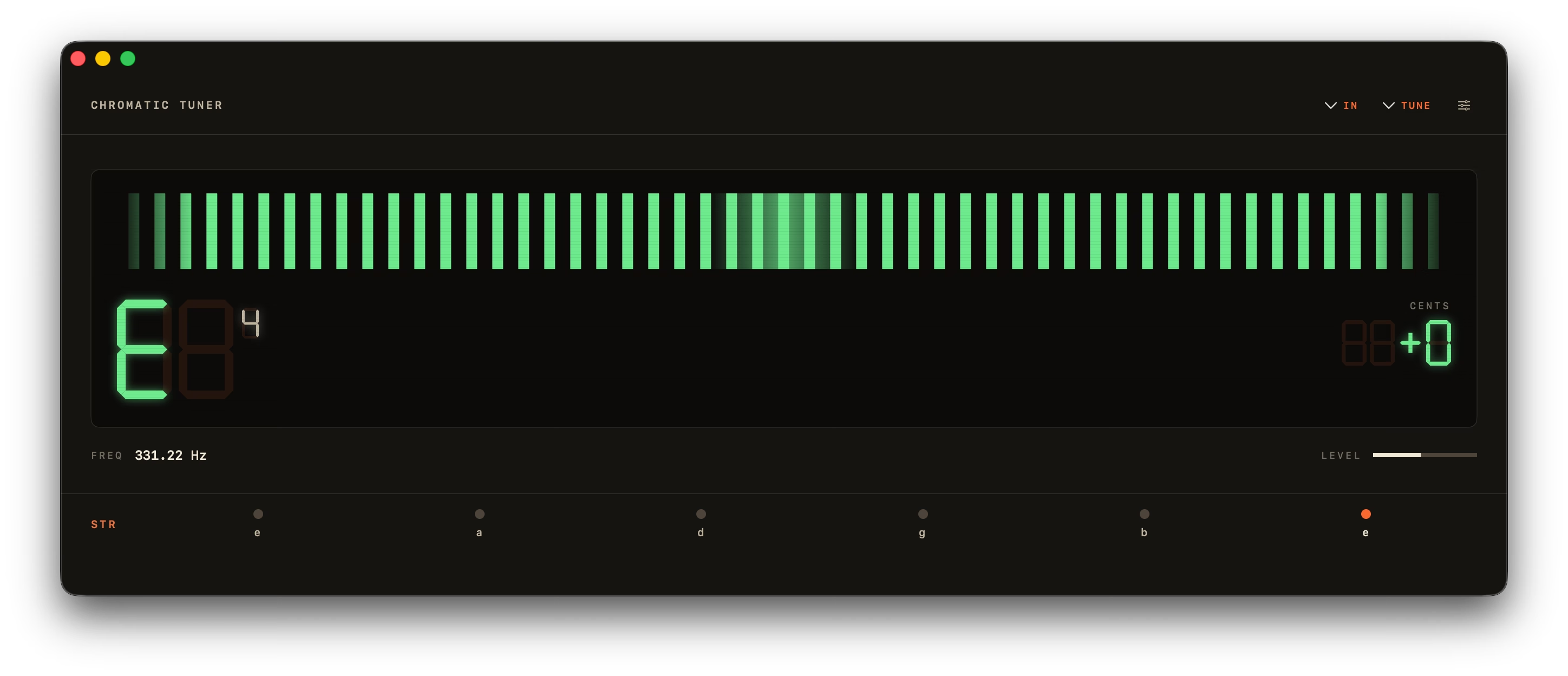
The Meter and the Strobe.
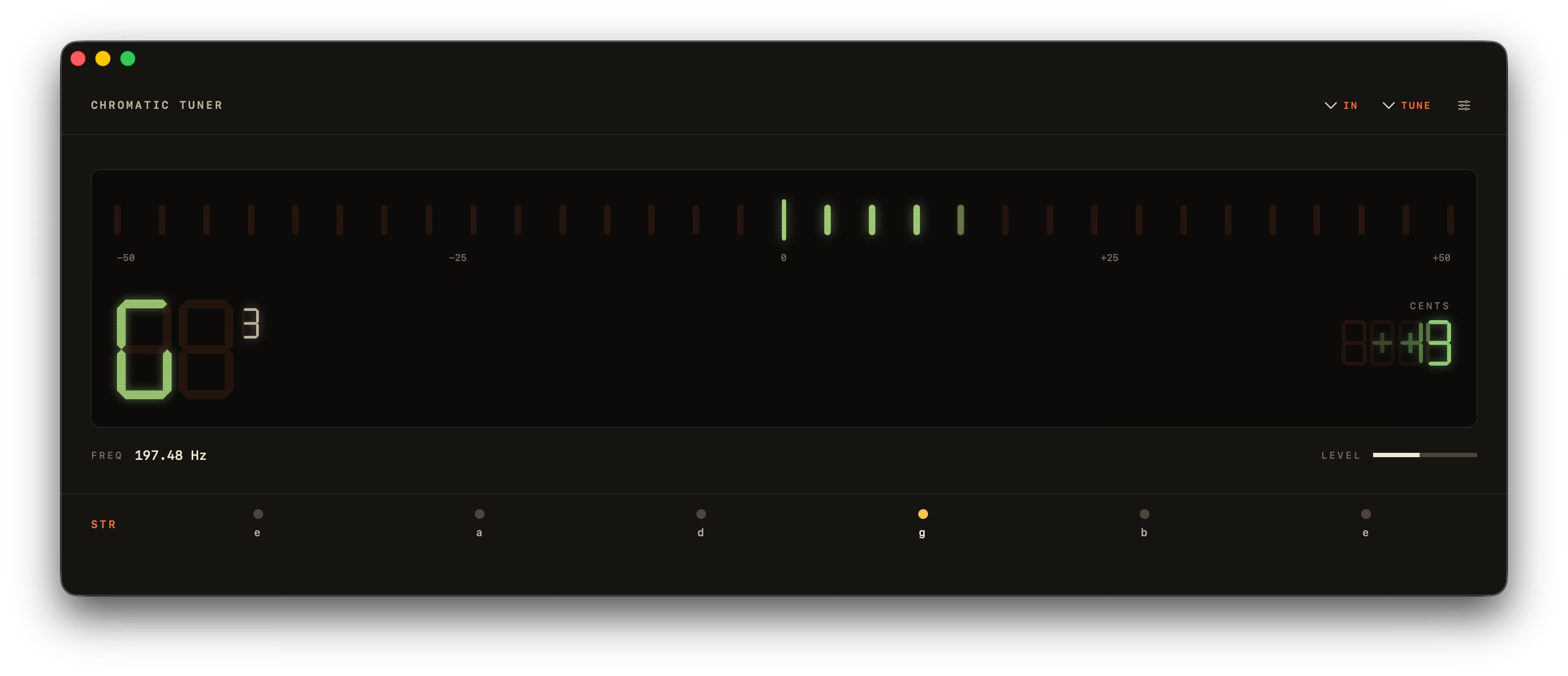
The 31-LED bar is what you reach for when plucking — segments blend orange to green and snap to in-tune in under 50 ms.
The Peterson-style rotating strobe is the one for sustained intonation work. Bands lock inside a hard ±0.5 ¢ deadband, so "in tune" is genuinely stationary — not just close. A vintage analog needle and a minimal drifting sine wave round out the four.
What's Inside
Nine Things, Done Well.
A tuner should be on screen for fifteen seconds, do its job, and get out of your way. Everything below earns its place by that rule.
YIN Pitch Detection
A0 to C8 (27.5 Hz – 4186 Hz), accurate to ±0.14¢ on pure tones and ±1¢ in real use. Octave-error correction stops a plucked string reading an octave high.
Four Display Modes
An LED bar, a Peterson-style strobe with a hard ±0.5¢ deadband, a vintage analog needle, and a minimal drifting sine wave — one toolbar click apart.
Built-In Metronome
40–240 BPM, meters from 2/4 to 7/8, tap tempo and an accented downbeat — in its own window, so it sits open beside the tuner while you practise. Space starts it.
Instrument Presets
17 across guitar, bass and strings.
Lives in Your Menu Bar
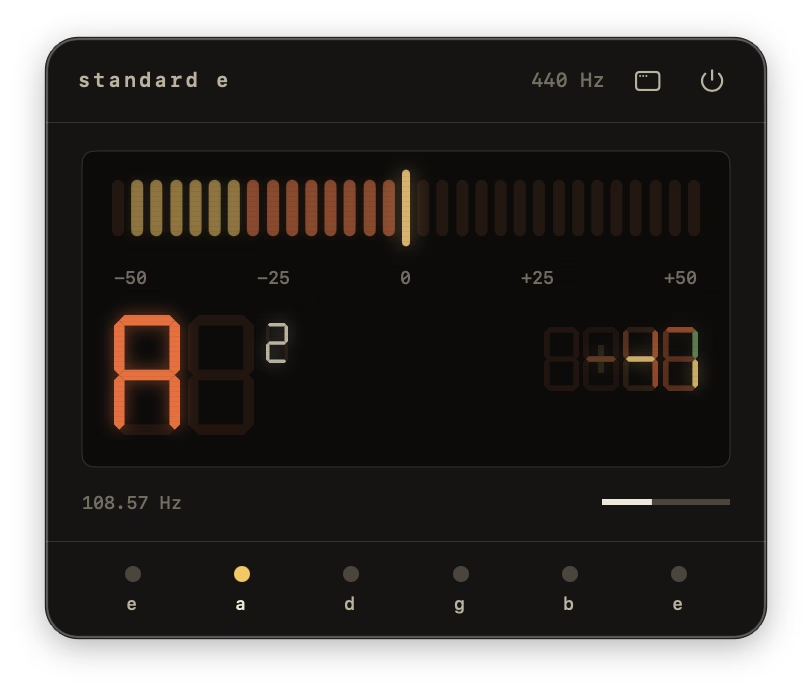
A 360 px popover, one click away.
Reference Tones
Tap a string to hear a clean sine.
Custom A4 + Transpose
349–499.9 Hz, plus ±11 semitones.
Light, Dark, System
Follows macOS, or pin it either way.
Keyboard-First
Space starts and stops. ⌘W, ⌘Q.
Design
Lives Wherever You Need It.
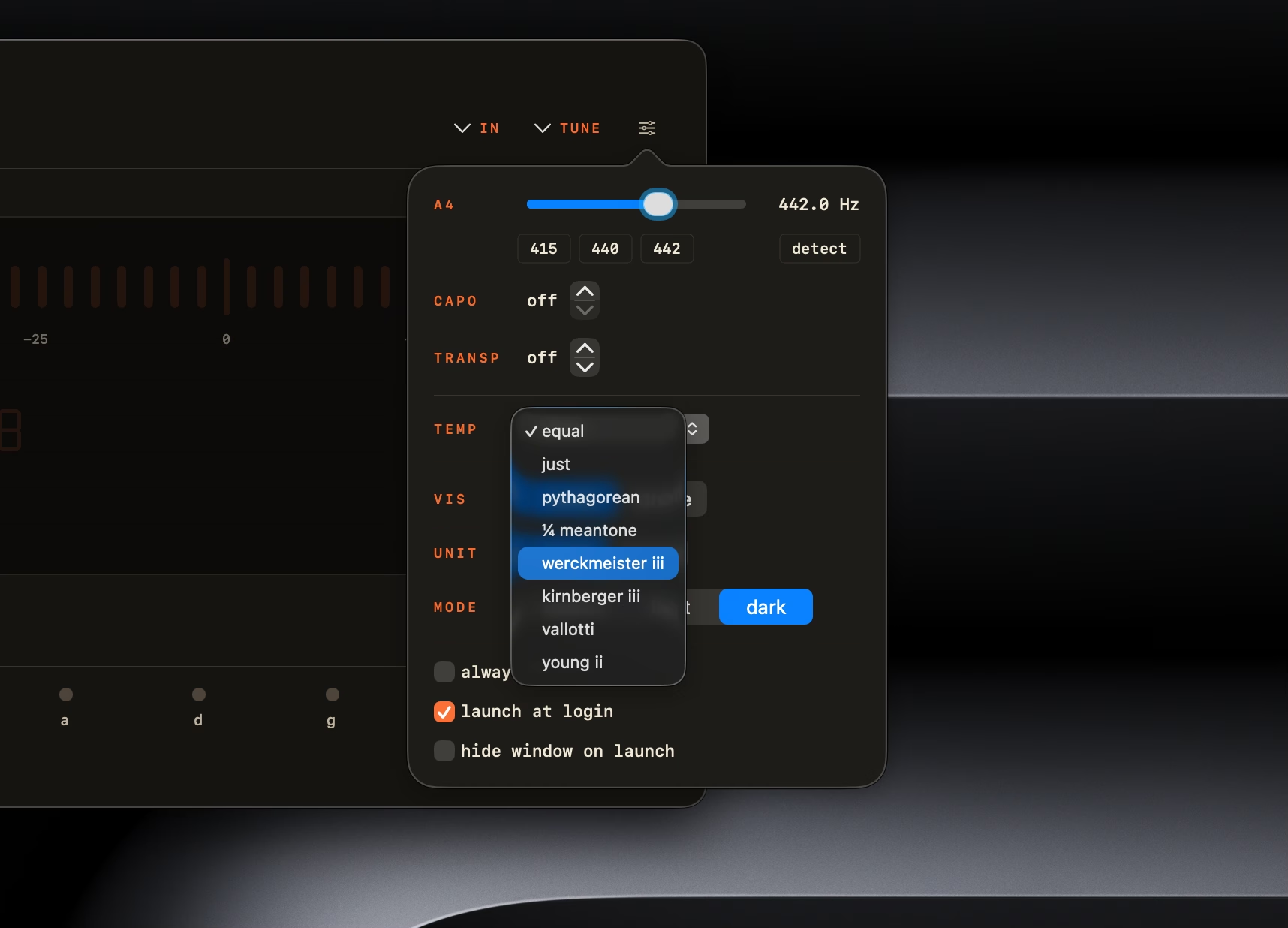
A 360 px popover that drops out of the menu bar between takes. Customization tucked behind a flyout. A dock icon that earns its slot. Every surface modeled on real hardware, then matched to your system theme.
How It Works
Three Steps. The Third One Is the Only One You'll Do Twice.
- 01
Open Chromatic Tuner
Drag from the DMG to Applications. Launch from Spotlight or your menu bar. No account, no activation.
- 02
Allow Microphone Access
macOS asks once. Approve, and your default input — built-in mic, USB interface, whatever — is wired in. Audio stays on-device.
- 03
Pluck a String
The LED meter sweeps to the closest note. Amber means off, green means in. Tune until it stays green for a beat.
New in 1.2 · iPhone & Apple Watch
Also in Your Pocket.
ChromTuner: Guitar Tuner brings the same YIN engine to iOS — free. Chromatic mode, Standard E and Drop D, the LED meter and analog needle, plus a gentle haptic tap the moment a string locks in. Version 1.2 adds a metronome and string-life tracking, both on iPhone and Apple Watch. One $6.99 purchase unlocks everything else.
Free forever — no ads, no account, no subscription.

Prefer the Mac App Store? Same app, same price.

Ready When You Are
One Purchase. Forever Yours.
Today's Total
One-Time · Lifetime 1.x Updates
- Chromatic Tuner — Universal Binary (Apple Silicon + Intel)
- Lifetime 1.x Updates Included
- Direct Email Support From the Developer
After You Pay
- 1Receipt to Your Email
- 2Download Link, Valid 7 Days
- 3Drag Chromatic Tuner Into /Applications
FAQ
Questions, Answered.
Quick answers about temperaments, instruments, accuracy, and what actually runs on your Mac.
Can I Run It From the Menu Bar Only?
Yes. Enable Menu Bar mode in preferences and a 360 px popover appears next to your other menu-bar icons. The main window can stay hidden.Does It Support Alternate Tunings, Capo, and Other Instruments?
Yes. Chromatic Tuner ships with 15 instrument presets: guitar (Standard, Drop D, DADGAD, Open G, Half-step Down, 7-string), bass (4-string EADG, 5-string BEADG), bowed strings (violin, viola, cello, double bass), folk (ukulele, mandolin, 5-string banjo), and pure chromatic. Capo position (off through fret 11), A4 reference, and ±11-semitone transpose are all adjustable.Does Chromatic Tuner Work Offline?
Yes. Chromatic Tuner runs entirely offline — no audio, telemetry, or account ever leaves your Mac. The app makes zero outbound network connections, and pitch detection runs locally on the CPU.How Accurate Is the Tuner?
Chromatic Tuner is accurate to ±0.14 cents on pure sine tones and ±1 cent in real-world use. The in-tune zone (green) opens at ±5 cents, which is what most studio engineers consider perfect intonation. Detection uses the YIN time-domain algorithm with a 4096-sample window, octave-error correction for plucked strings, and median-of-5 + exponential smoothing for stable readings at ~22 Hz.Does It Run on Intel Macs and Apple Silicon?
Yes — both. Chromatic Tuner is a universal binary that runs natively on Apple Silicon (M1/M2/M3/M4) and Intel Macs. macOS 14 Sonoma or later required.Is There a Free Trial?
There's a free browser-based version at chromtuner.com/tune that runs the same YIN engine — try it before you buy the Mac app. The desktop app adds Core Audio (sub-50 ms vs 12–60 ms in the browser), 15 instrument presets, 8 historical temperaments, capo / transpose, menu-bar mode, and offline use. If you're still on the fence after the browser version, email support@chromtuner.com for a direct reply, usually within a few hours.
Ready to Tune?
Native macOS. Offline. ±1¢ accuracy. Yours for $6.99 — one-time, lifetime 1.x updates.
Buy for $6.99Specifications
The Technical Bits
| Operating System | macOS 14.0 (Sonoma) or later |
|---|---|
| Architectures | Apple Silicon (arm64) + Intel (x86_64), universal binary |
| Pitch Algorithm | YIN, 4096-sample window with 50% overlap |
| Pitch Range | A0 (27.5 Hz) → C8 (4186 Hz) |
| Accuracy | ±0.14¢ on pure sines, ±1¢ real-world |
| Update Rate | ~22 Hz |
| Latency | Sub-50 ms perceived |
| Smoothing | Median-of-5 + exponential, 70 Hz high-pass before detection |
| Audio Input | Built-in mic, USB interfaces, Aggregate Devices, hot-plug detection |
| Temperaments | 8 historical, with movable tonic for non-equal systems |
| Instrument Presets | 17 across guitar, bass, bowed strings, folk strings, chromatic — plus capo |
| File Size | ~5 MB DMG |
| Network | None — works fully offline |
| Privacy | Sandboxed, Hardened Runtime, Privacy Manifest, no telemetry |
| Updates | Lifetime updates for the 1.x line, included with purchase |
| License | Personal one-time purchase, single user |
Related