On Your Wrist
A Guitar Tuner for Apple Watch
The same YIN detection engine, running on the watch itself and listening through the watch's own microphone. Both hands stay on the instrument. Included free with the iPhone app.
iPhone · iOS 17 or later · Apple Watch app requires watchOS 11
Standalone, Not a Remote
A Watch Tuner That Doesn't Need Your Phone
Most watch companions are remote controls: the watch draws a meter while the phone in your pocket does the listening and the maths. ChromTuner's watch app runs the detection engine itself, on the watch, through the watch's own microphone — so it works with the phone across the room, in a bag, or out of range entirely.
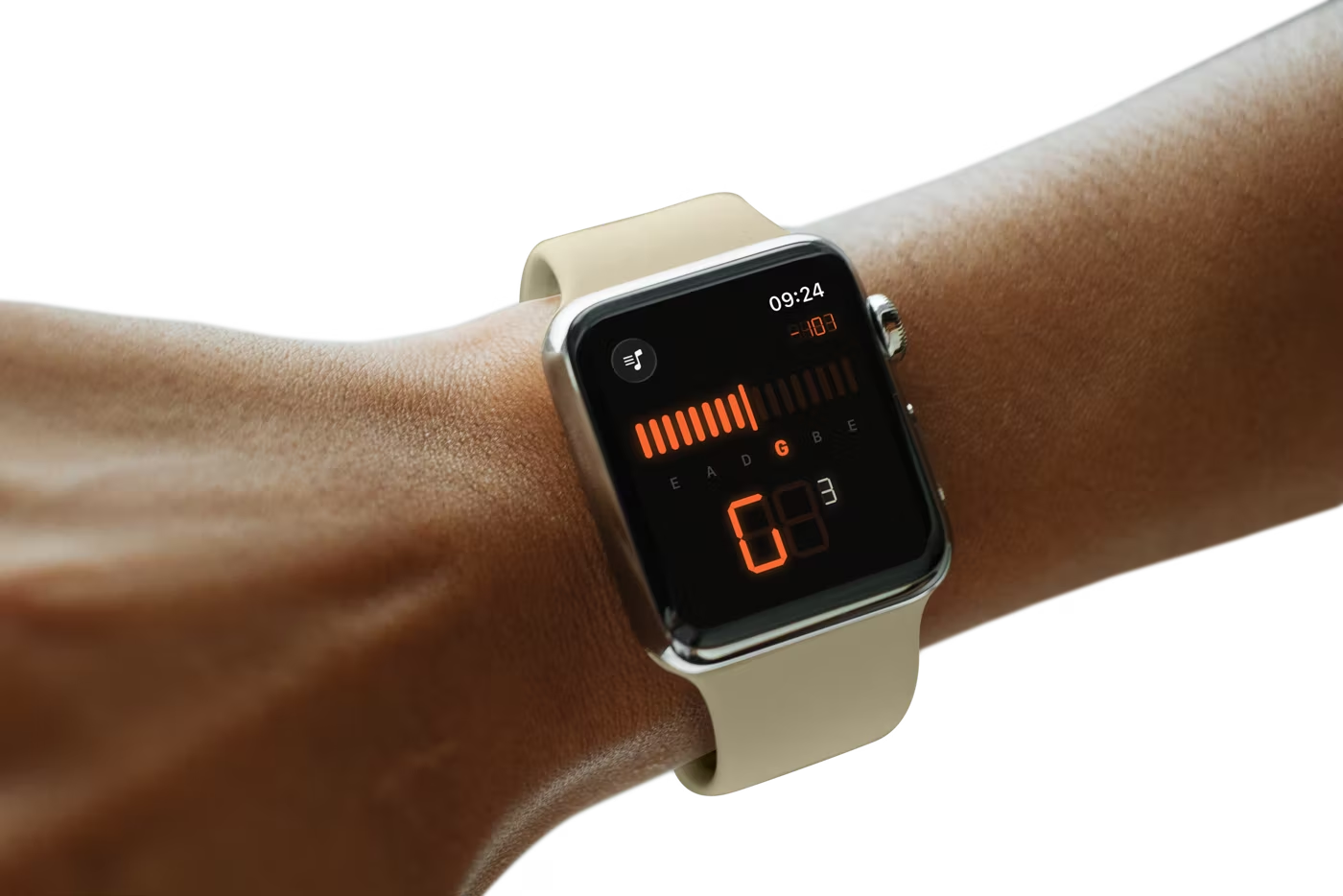
That matters for the posture the watch is actually good for. Tuning a guitar with a phone means the phone has to be somewhere you can see it — propped on a music stand, balanced on your knee, or held in the hand you needed for the tuning peg. On your wrist, the readout is already in your eyeline while both hands stay on the instrument. The OLED display becomes the LED screen: a live meter, a string indicator that lights up as you move across the neck, and a seven-segment note big enough to read at arm's length on a dark stage.
The Digital Crown does the switching, so you are not stabbing at a small screen with a fretting hand. Turn it on the tuner page and it steps through tunings; turn it on the metronome page and it sets the tempo. Swipe horizontally between the two — horizontal on purpose, because the vertical paging style is Crown-driven and would fight the Crown for the same input.
Lock is signalled visually rather than by a tap on the wrist. That is deliberate: a confirmation haptic is loud enough that the watch's own microphone hears it, and it disturbed the reading at precisely the moment you had landed the note. The metronome does tap the beat, since there is no live signal to corrupt — and it keeps clicking with your wrist down. Everything free on iPhone is free on the watch; Pro presets unlocked on the phone sync across automatically. Requires watchOS 11.
Three Tabs
One Instrument, Three Tools.
Version 1.2 grew the app from a single tuner screen into a practice kit. Tune sits in the middle and opens by default — the other two are one thumb-swipe away, and only one ever makes sound at a time.
Metronome
40–240 BPM, tap tempo, 2/4 through 7/8. Free for everyone, on phone and wrist.
Tune
The chromatic tuner — now filling nearly two-thirds of the screen.
Strings
String-life tracking that counts the sessions you actually play.
In the Hand
Reads Like Hardware.
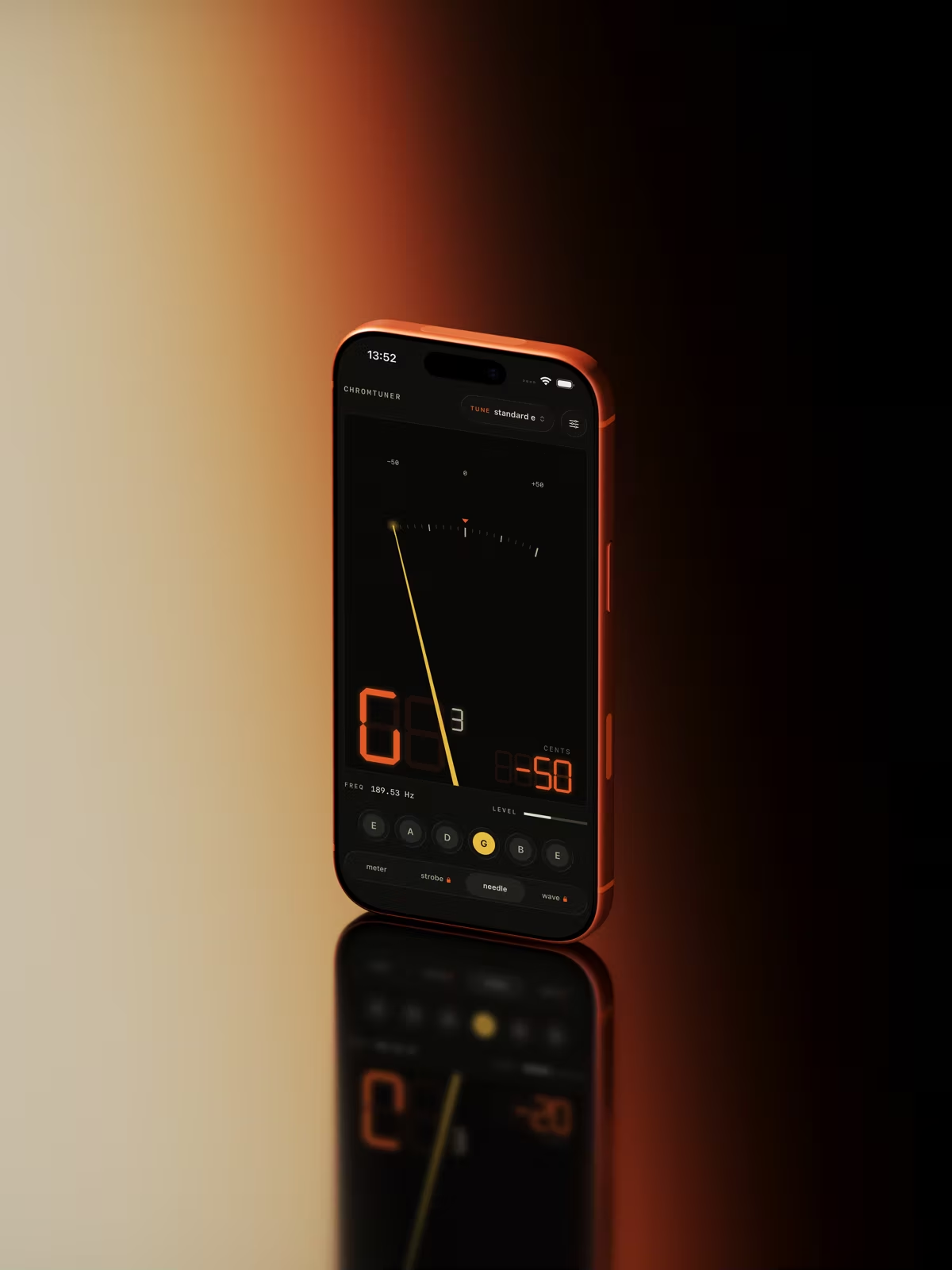
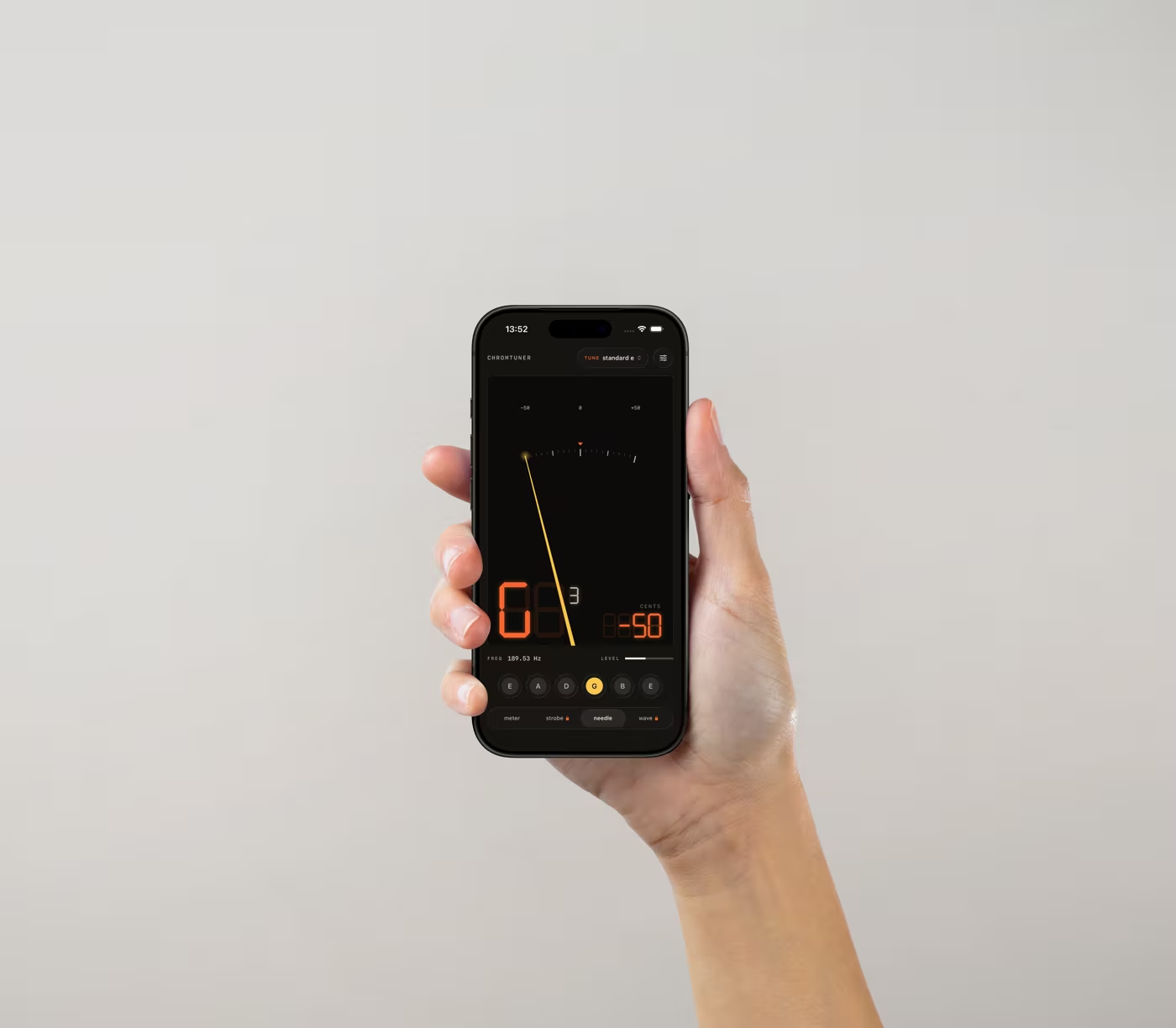
The warm LED look carries from your Mac to your pocket to your wrist — a tuner that feels like an instrument, wherever you play.
New in 1.2 · Apple Watch
Tune and Keep Time From Your Wrist.
The Apple Watch app runs the same YIN engine standalone, listening through the watch's own microphone — your phone can stay in your bag. The OLED display becomes the LED screen: a live meter, a string indicator that lights up as you move across the neck, and the big seven-segment note, readable at arm's length on a dark stage. Swipe across and 1.2's metronome is right there.
Metronome on Your Wrist. It clicks in time and taps the beat, so both hands stay on the instrument — and it keeps going with your wrist down.
Digital Crown. Turn it to flip through tunings on the tuner page, or to set the tempo on the metronome page.
Standalone & Offline. The engine runs entirely on the watch. No phone nearby, no network, no account.
Included free with the iPhone app · watchOS 11+
New in 1.2 · Metronome
Keep Time. Free for Everyone.
A metronome built into the same instrument, sharing the tuner's LED display — so the thing you practise with looks and reads like the thing you tune with. It isn't behind the Pro unlock, and it isn't a stripped-down teaser.
40–240 BPM. Dial the tempo or tap it in when you'd rather feel the number than pick it.
2/4 Through 7/8. Six time signatures with an accented downbeat, so odd meters actually read.
Sample-Accurate. Beats are scheduled on the audio clock rather than a timer, so the click doesn't drift.
Free on iPhone and Apple Watch · no ads, no account
New in 1.2 · Strings
Know When They're Due.
Every player guesses at this. ChromTuner tracks both how long a set has been on and how much you've actually played it — counting the sessions you tune — so the guitar that lives in its case and the one that gigs every weekend aren't treated the same.
Sessions, Not Just Days. A session only counts when you really tune: ten steady readings inside ±5 cents.
Pick It Up, It Follows. Choose an instrument and the tuner switches to its tuning automatically.
Down to the String. Record brand and gauge per set, and mark a single string when you replace just the one you broke.
One instrument free · Pro tracks your whole collection
Private by Design.
Audio is processed in memory, on-device, and never stored or transmitted. No analytics, no tracking, no account — the App Store privacy label reads "Data Not Collected" because there's nothing to collect.
Playing at a Desk? There's a Mac App.
ChromTuner for macOS reads any USB interface at full sample rate via Core Audio, lives in your menu bar, and is a one-time $6.99 purchase — direct from this site or on the Mac App Store.
See the Mac App →Free vs Pro
The Free Version Is a Tuner, Not a Demo.
Everything below the line ships free, at full detection accuracy — the Pro unlock buys breadth, never precision. Pro is a one-time $6.99 purchase, no subscription.

FAQ
Questions, Answered.
Quick answers about the free app, Pro, the Apple Watch, the metronome and string tracking.
Is There an Apple Watch App?
Yes, included free with the iPhone app (watchOS 11 or later). It runs the same YIN detection engine standalone on the watch, listening through the watch's own microphone, so you can tune without taking your phone out — a live LED meter, a string indicator that lights up as you move across the neck, and the seven-segment note display. Swipe across for the metronome, which clicks and taps the beat and keeps running with your wrist down; the Digital Crown switches tunings on the tuner page and sets the tempo on the metronome page. Pro presets unlocked on your iPhone sync to the watch automatically.Is the Metronome Free?
Entirely. The metronome is not part of the Pro unlock: 40–240 BPM, six time signatures from 2/4 to 7/8, tap tempo and an accented downbeat, on both iPhone and Apple Watch. Beats are scheduled on the audio clock rather than a repeating timer, so the click doesn't drift over a long practice session.Is the Free Version Actually Useful?
Yes. Free gets you chromatic mode (tune any instrument, any note), Standard E and Drop D guitar presets with tap-to-play reference tones, two displays, haptic in-tune feedback, the complete metronome, string tracking for one instrument, and the identical full-precision detection engine Pro uses. Nothing about accuracy is gated.Is the iPhone App the Same Engine as the Mac App?
Yes — the identical YIN pitch-detection core with octave-error correction and median filtering, processing at the microphone's full sample rate. It's accurate to a fraction of a cent on clean signals. The Mac app differs in what it can listen to: it reads a USB audio interface at full sample rate through Core Audio.Does the iPhone App Work Offline?
Completely. The app makes zero network calls — audio never leaves your iPhone, and there's no account or analytics. The Apple Watch app runs its engine on the watch itself, so it works with your phone out of range too.How Accurate Is the Tuner?
Chromatic Tuner is accurate to ±0.14 cents on pure sine tones and ±1 cent in real-world use. The display turns green within ±5 cents; for studio work, keep going until the reading sits at 0. Detection uses the YIN time-domain algorithm with a 4096-sample window, octave-error correction for plucked strings, and median-of-5 + exponential smoothing for stable readings at ~22 Hz.
Related