String Life
Know When to Change Your Guitar Strings
A calendar reminder treats the guitar in the case and the one that gigs every weekend the same way. ChromTuner counts the sessions you actually tune, so wear reflects playing.
iPhone · iOS 17 or later · Apple Watch app requires watchOS 11
Days and Sessions
Why "Change Them Every Three Months" Is the Wrong Answer
Every guide gives a time interval, and every player knows the interval is wrong for at least one of their instruments. Strings die from two independent causes — oxidation, which is a function of elapsed time and your hands, and fatigue, which is a function of how much you have actually played. A rule based only on the calendar can only ever describe one of those.
ChromTuner tracks both. Each instrument carries a change interval you set yourself, from a week to a year, and independently accumulates credited tuning sessions. Wear is read from whichever is further along, so a guitar that has sat untouched for four months and one that has been played nightly for six weeks both surface as due, for the right reasons, without you having to reason about it.
The session count is the part that has to be honest, so it is deliberately hard to inflate. A session is only credited when you genuinely tune: ten consecutive readings holding inside ±5 cents, debounced so that one long tuning stint counts once rather than accumulating while the app sits open on a music stand. Leaving the tuner running does not age your strings, because it does not age your strings in real life either.
The record goes down to the individual string. Log brand and gauge per set, and mark a single string as replaced when you have only broken the one — which is what actually happens — instead of being forced to reset the whole set and lose the history on the other five. Choosing an instrument also switches the tuner to that instrument's tuning, so picking up the bass or the ukulele does not mean a trip through a preset menu first. One instrument is tracked free; the Pro unlock covers a whole collection.
Three Tabs
One Instrument, Three Tools.
Version 1.2 grew the app from a single tuner screen into a practice kit. Tune sits in the middle and opens by default — the other two are one thumb-swipe away, and only one ever makes sound at a time.
Metronome
40–240 BPM, tap tempo, 2/4 through 7/8. Free for everyone, on phone and wrist.
Tune
The chromatic tuner — now filling nearly two-thirds of the screen.
Strings
String-life tracking that counts the sessions you actually play.
In the Hand
Reads Like Hardware.
The warm LED look carries from your Mac to your pocket to your wrist — a tuner that feels like an instrument, wherever you play.
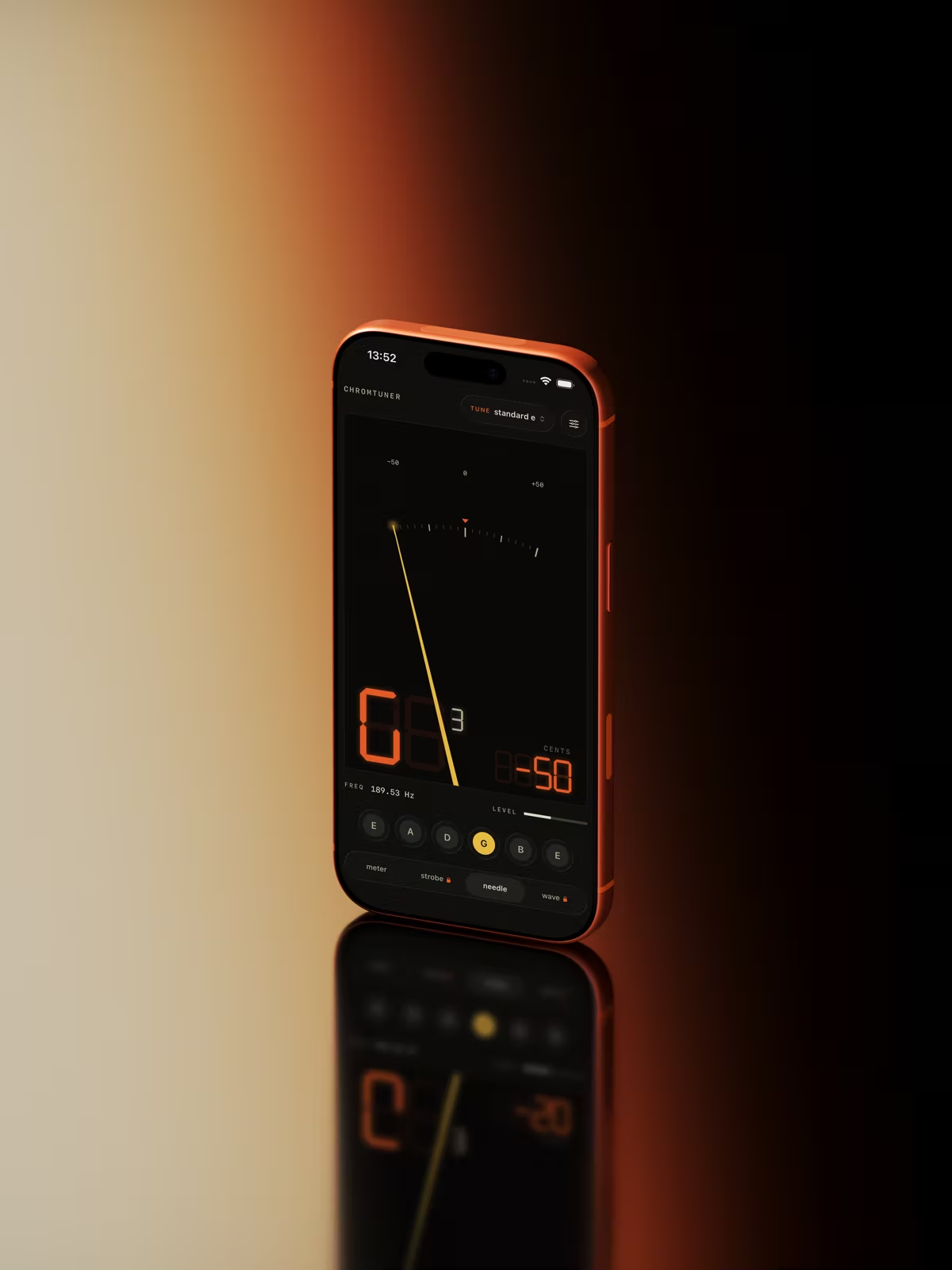
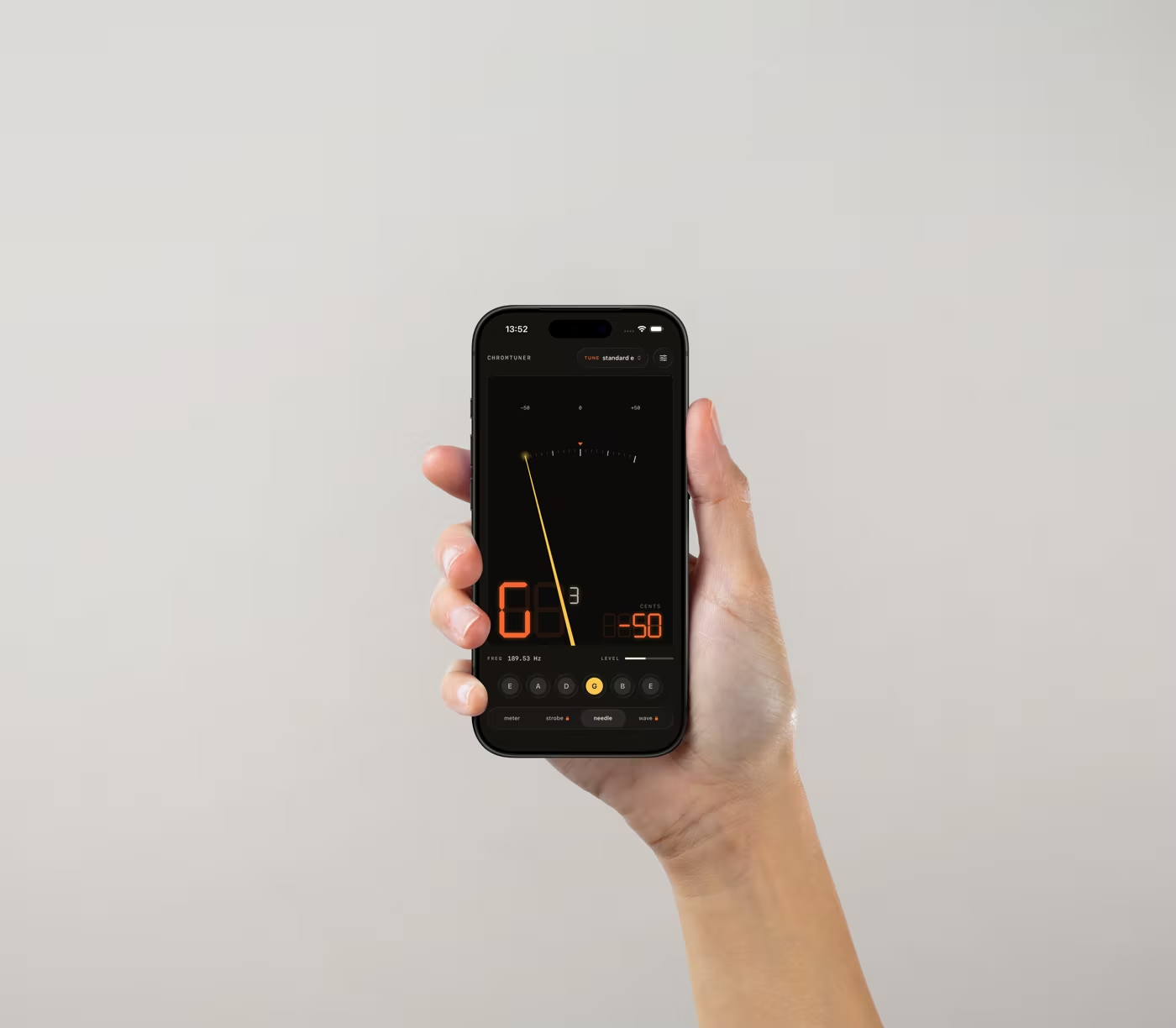
New in 1.2 · Apple Watch
Tune and Keep Time From Your Wrist.
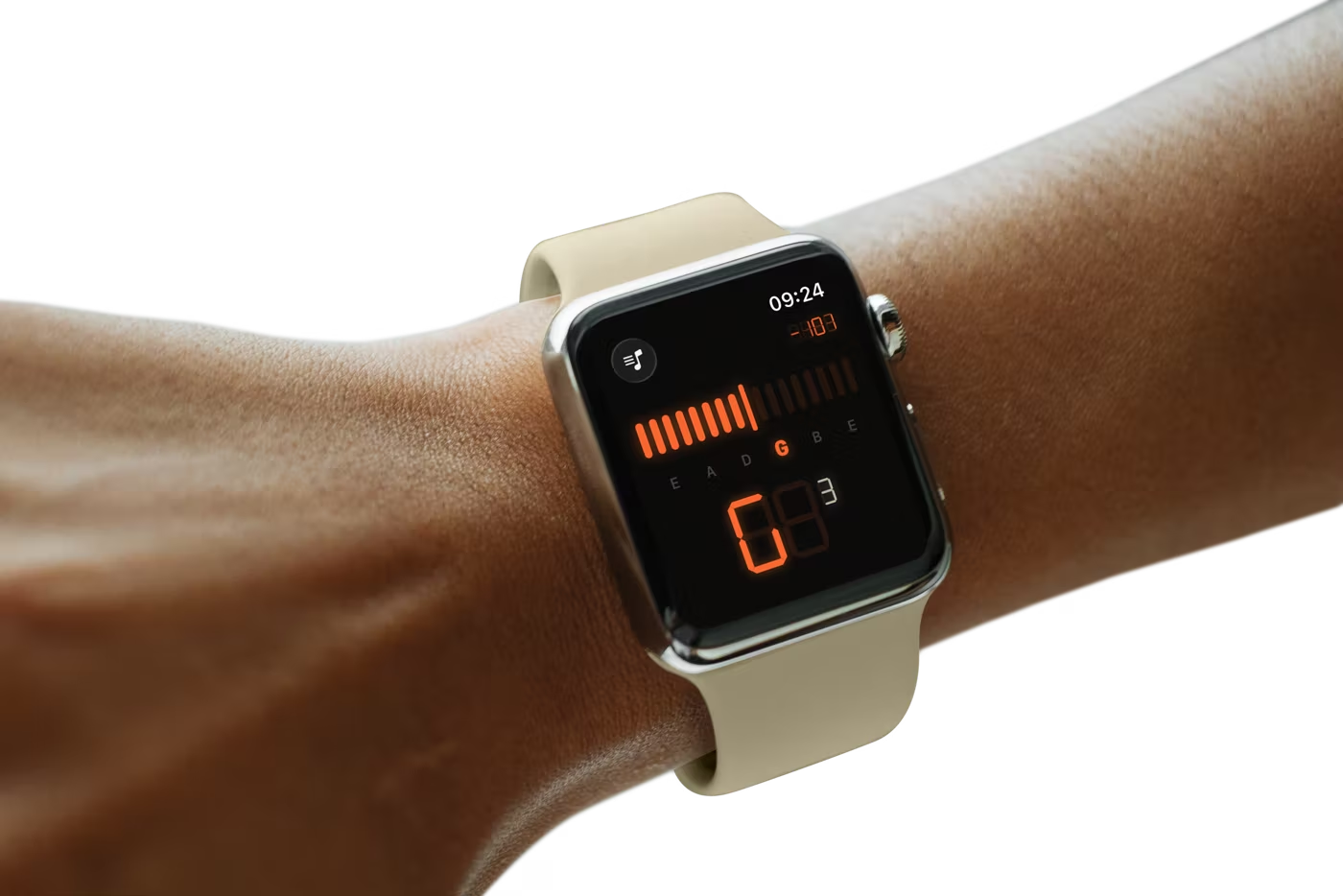
The Apple Watch app runs the same YIN engine standalone, listening through the watch's own microphone — your phone can stay in your bag. The OLED display becomes the LED screen: a live meter, a string indicator that lights up as you move across the neck, and the big seven-segment note, readable at arm's length on a dark stage. Swipe across and 1.2's metronome is right there.
Metronome on Your Wrist. It clicks in time and taps the beat, so both hands stay on the instrument — and it keeps going with your wrist down.
Digital Crown. Turn it to flip through tunings on the tuner page, or to set the tempo on the metronome page.
Standalone & Offline. The engine runs entirely on the watch. No phone nearby, no network, no account.
Included free with the iPhone app · watchOS 11+
New in 1.2 · Metronome
Keep Time. Free for Everyone.
A metronome built into the same instrument, sharing the tuner's LED display — so the thing you practise with looks and reads like the thing you tune with. It isn't behind the Pro unlock, and it isn't a stripped-down teaser.
40–240 BPM. Dial the tempo or tap it in when you'd rather feel the number than pick it.
2/4 Through 7/8. Six time signatures with an accented downbeat, so odd meters actually read.
Sample-Accurate. Beats are scheduled on the audio clock rather than a timer, so the click doesn't drift.
Free on iPhone and Apple Watch · no ads, no account
New in 1.2 · Strings
Know When They're Due.
Every player guesses at this. ChromTuner tracks both how long a set has been on and how much you've actually played it — counting the sessions you tune — so the guitar that lives in its case and the one that gigs every weekend aren't treated the same.
Sessions, Not Just Days. A session only counts when you really tune: ten steady readings inside ±5 cents.
Pick It Up, It Follows. Choose an instrument and the tuner switches to its tuning automatically.
Down to the String. Record brand and gauge per set, and mark a single string when you replace just the one you broke.
One instrument free · Pro tracks your whole collection
Private by Design.
Audio is processed in memory, on-device, and never stored or transmitted. No analytics, no tracking, no account — the App Store privacy label reads "Data Not Collected" because there's nothing to collect.
Playing at a Desk? There's a Mac App.
ChromTuner for macOS reads any USB interface at full sample rate via Core Audio, lives in your menu bar, and is a one-time $6.99 purchase — direct from this site or on the Mac App Store.
See the Mac App →Free vs Pro
The Free Version Is a Tuner, Not a Demo.
Everything below the line ships free, at full detection accuracy — the Pro unlock buys breadth, never precision. Pro is a one-time $6.99 purchase, no subscription.

FAQ
Questions, Answered.
Quick answers about the free app, Pro, the Apple Watch, the metronome and string tracking.
How Does String Tracking Decide a Set Is Due?
It watches two things at once: how long the set has been on, and how much you've actually played. A tuning session is only credited when you genuinely tune — ten consecutive readings inside ±5 cents — so leaving the app open doesn't inflate the count. That way the guitar in the case and the one that gigs every weekend age differently. You set the change interval per instrument, and marking a single replaced string is supported for when you only broke the one.Is the Free Version Actually Useful?
Yes. Free gets you chromatic mode (tune any instrument, any note), Standard E and Drop D guitar presets with tap-to-play reference tones, two displays, haptic in-tune feedback, the complete metronome, string tracking for one instrument, and the identical full-precision detection engine Pro uses. Nothing about accuracy is gated.What Does Pro Unlock on iPhone?
The Peterson-style strobe and waveform displays, 7 historical temperaments, A4 calibration from 349–500 Hz with auto-detect, string tracking for every instrument you own instead of one, all 17 tunings, capo through fret 11, ±11 semitone transpose, a live Hz readout, and full personalization. One purchase of $6.99 — no subscription, and Family Sharing applies.Does the iPhone App Work Offline?
Completely. The app makes zero network calls — audio never leaves your iPhone, and there's no account or analytics. The Apple Watch app runs its engine on the watch itself, so it works with your phone out of range too.How Accurate Is the Tuner?
Chromatic Tuner is accurate to ±0.14 cents on pure sine tones and ±1 cent in real-world use. The display turns green within ±5 cents; for studio work, keep going until the reading sits at 0. Detection uses the YIN time-domain algorithm with a 4096-sample window, octave-error correction for plucked strings, and median-of-5 + exponential smoothing for stable readings at ~22 Hz.
Related