Accordeur + métronome
Accordeur de guitare et métronome dans une seule app
Accordez et répétez avec deux outils dans une seule app : un accordeur chromatique précis à ±1¢ et un métronome de 40 à 240 BPM. Ils partagent le même design à LED. Le métronome complet et l’accordeur, avec toute sa précision, sont gratuits.
iPhone · iOS 17 ou version ultérieure · L’app Apple Watch nécessite watchOS 11
Tout dans une seule app
De l’accordeur au métronome en un geste
Vérifiez l’accordage, choisissez le tempo et commencez à jouer. ChromTuner réunit les deux outils utiles à vos séances dans une interface commune, sans avoir à changer d’app.
L’app s’ouvre sur l’onglet Accordeur, situé au centre. Pour travailler avec un rythme de référence, glissez le doigt vers le métronome. Les commandes et l’affichage conservent le même style pour que vous puissiez rester concentré sur votre musique.
ChromTuner gère l’entrée du micro et la lecture du métronome au changement d’onglet. Un seul outil émet du son à la fois, afin que le clic ne perturbe pas la détection des notes.
Le métronome garde un tempo stable grâce à sa synchronisation avec l’horloge audio. Choisissez de 40 à 240 BPM ou donnez le tempo en tapotant. Les mesures disponibles sont 2/4, 3/4, 4/4, 5/4, 6/8 et 7/8, avec un premier temps accentué. Toutes ces fonctions sont gratuites. Pro ajoute des possibilités d’accordage : 17 préréglages, stroboscope, forme d’onde, tempéraments et réglage du diapason, avec la même précision de détection que la version gratuite.
Trois onglets
Trois outils dans une seule app.
Dans la version 1.2, deux outils viennent compléter l’accordeur pour accompagner vos séances. L’onglet Accordeur reste au centre et s’ouvre au lancement. Un glissement du doigt suffit pour accéder au métronome ou au suivi des cordes. Un seul outil émet du son à la fois.
Métronome
De 40 à 240 BPM, des mesures de 2/4 à 7/8 et un tempo réglable par tapotement. Gratuit sur iPhone et Apple Watch.
Accordeur
L’accordeur chromatique — qui occupe désormais près des deux tiers de l’écran.
Cordes
Suivez l’usure de vos cordes à partir des séances où vous accordez votre instrument.
En main
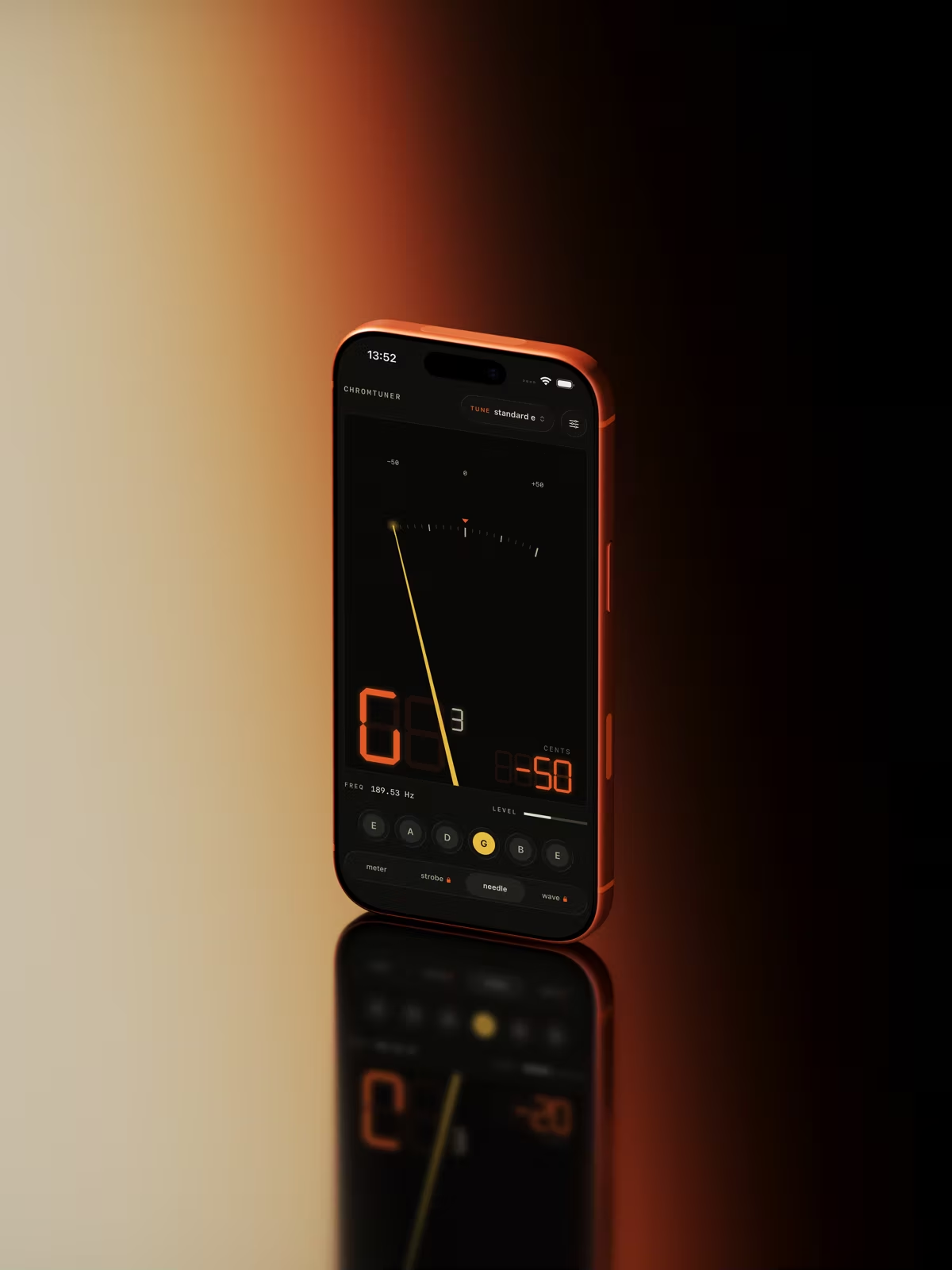
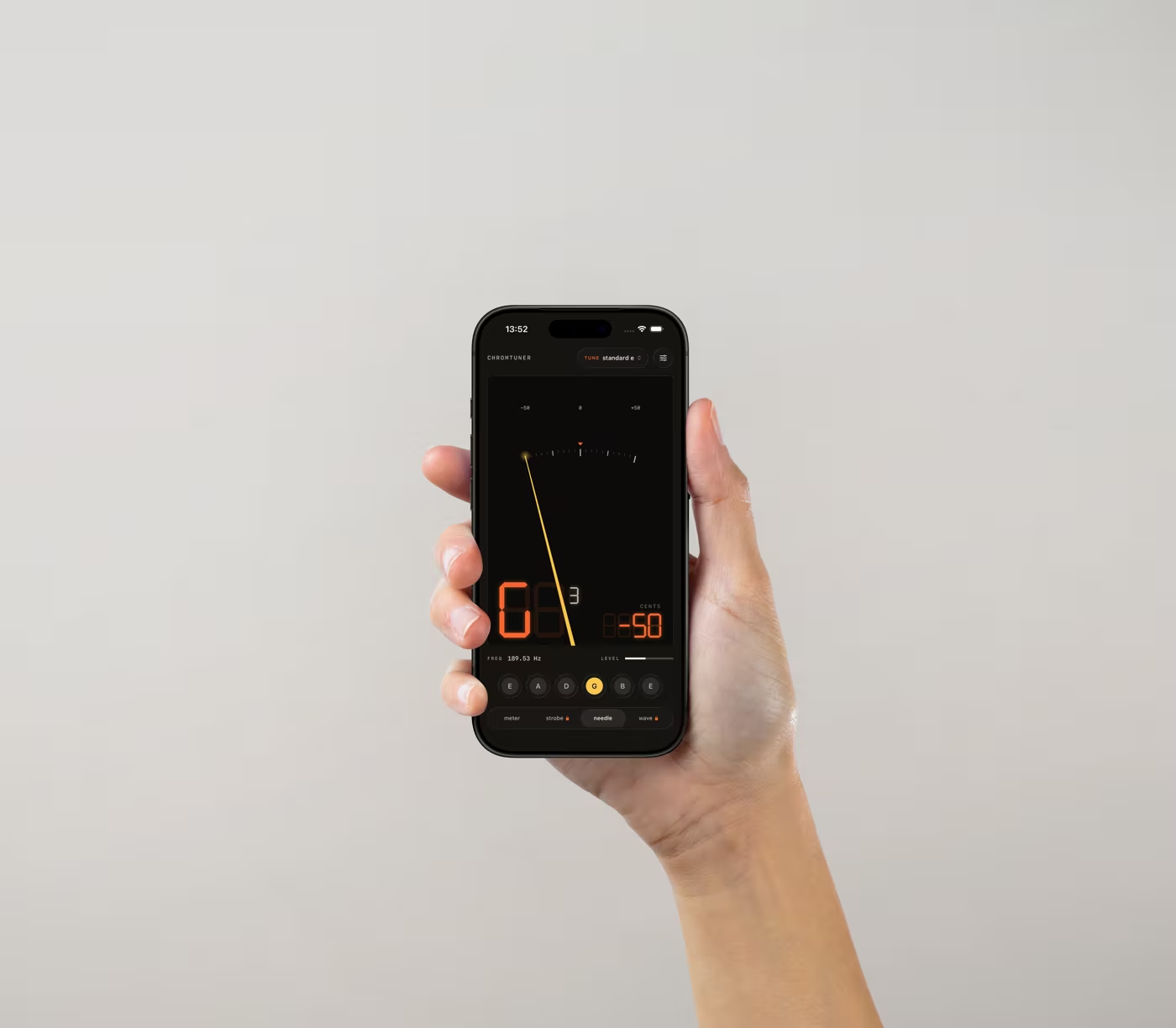
Le charme d’un accordeur classique.
L’affichage à LED rétro vous accompagne sur Mac, iPhone et Apple Watch, avec une lecture claire partout où vous jouez.
Nouveau dans la 1.2 · Apple Watch
Accordez et gardez le rythme au poignet.
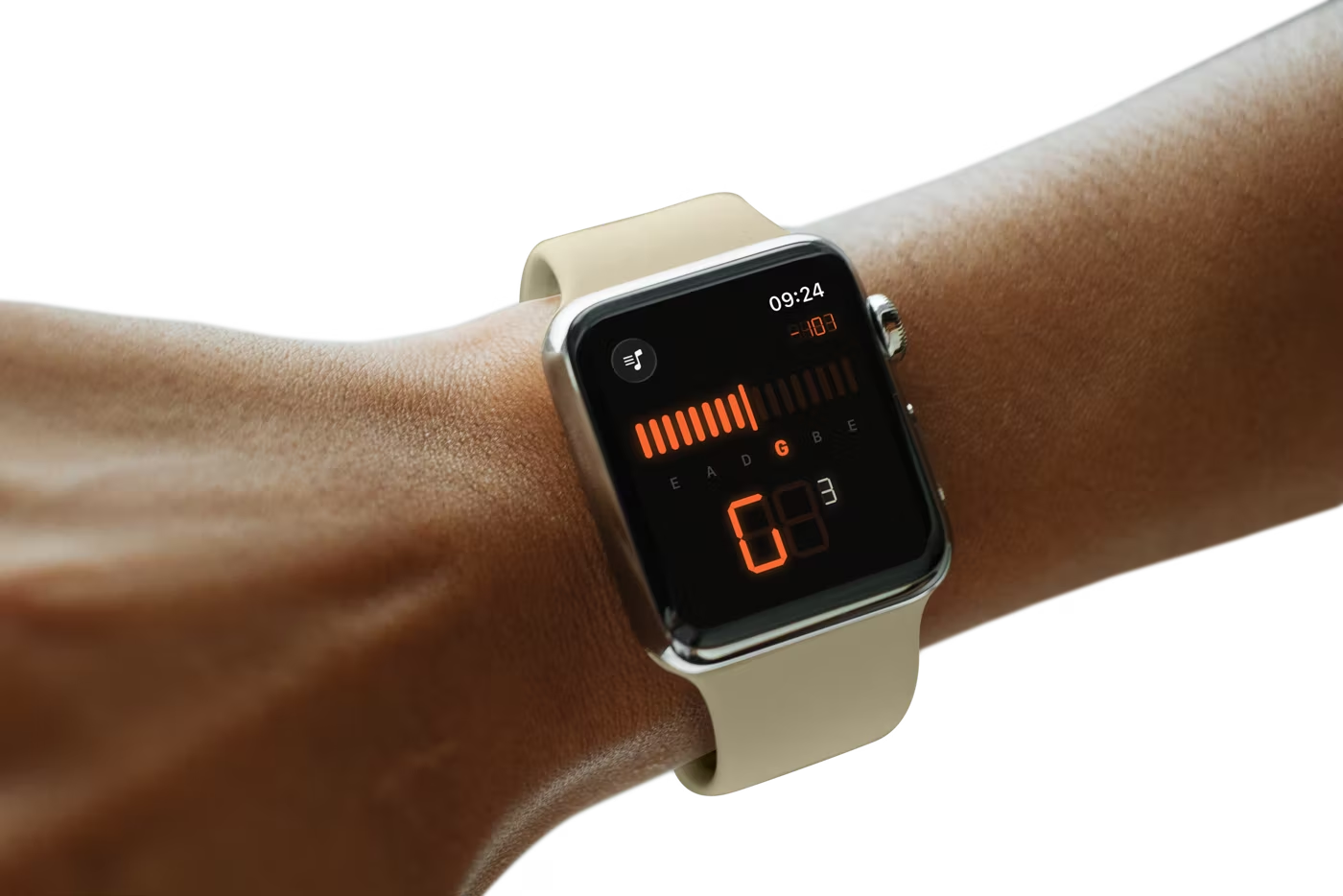
L’app Apple Watch utilise le même algorithme YIN et capte le son avec le micro de la montre. Votre iPhone peut donc rester dans votre sac. L’écran OLED reprend le design à LED de l’app : un indicateur d’accordage en temps réel, un repère lumineux pour chaque corde et la note en grands caractères à sept segments. L’ensemble reste lisible à bout de bras, même sur une scène sombre. Glissez le doigt pour ouvrir le métronome ajouté dans la version 1.2.
Le métronome au poignet. Le métronome marque le rythme par des sons et des vibrations pour que vos mains restent sur l’instrument. Il continue de fonctionner lorsque vous baissez le poignet.
Digital Crown. Tournez-la pour changer d’accordage dans l’accordeur ou régler le tempo dans le métronome.
Autonome et hors ligne. Tout le traitement s’effectue sur la montre. Vous n’avez besoin ni de votre iPhone à proximité, ni d’une connexion internet, ni d’un compte.
Incluse gratuitement avec l’app iPhone · watchOS 11+
Nouveau dans la 1.2 · Métronome
Gardez le rythme. Gratuitement.
Le métronome est intégré à l’app et reprend l’affichage à LED de l’accordeur pour rester aussi lisible pendant vos exercices. Toutes ses fonctions sont incluses dans la version gratuite, sans achat de Pro.
40–240 BPM. Choisissez le tempo ou donnez-le en tapotant du doigt au rythme que vous avez en tête.
De 2/4 à 7/8. Six types de mesure avec un premier temps accentué pour garder vos repères, même dans les mesures asymétriques.
Un tempo stable. Les battements sont synchronisés avec l’horloge audio pour conserver un tempo stable tout au long de la séance.
Gratuit sur iPhone et Apple Watch · sans pub, sans compte
Nouveau dans la 1.2 · Cordes
Sachez quand les changer.
Depuis quand vos cordes sont-elles montées ? Et combien avez-vous joué avec ? ChromTuner suit les deux en comptant les séances où vous accordez votre instrument. Vous pouvez ainsi distinguer l’usage d’une guitare qui reste dans son étui de celui d’une guitare qui vous accompagne en concert chaque week-end.
Des séances, pas seulement des jours. Une séance est enregistrée après dix mesures stables dans une plage de ±5 cents. Laisser l’app ouverte ne suffit pas à ajouter une séance.
L’accordage de chaque instrument. Choisissez un instrument et l’accordeur passe automatiquement sur son accordage.
Un suivi corde par corde. Enregistrez la marque et le tirant de chaque jeu. Si vous ne remplacez qu’une corde, vous pouvez noter ce changement séparément.
Suivi d’un instrument gratuit · Tous vos instruments avec Pro
Votre son reste sur votre appareil.
Le son est traité dans la mémoire de votre appareil, sans être enregistré ni envoyé à un serveur. L’app ne collecte pas de statistiques d’utilisation, ne vous suit pas et ne demande aucun compte. Sa fiche de confidentialité sur l’App Store indique donc qu’aucune donnée n’est collectée.
Accordez aussi depuis votre Mac.
ChromTuner pour macOS accède à votre interface USB via Core Audio sans réduire la fréquence d’échantillonnage, et reste accessible depuis la barre des menus. L’app coûte 6,99 € en achat unique, sur ce site ou sur le Mac App Store.
Découvrir l’app Mac →Gratuit et Pro
Un accordeur complet dès la version gratuite.
La version gratuite offre la même précision que Pro. Pour davantage d’accordages, de modes d’affichage et de personnalisation, Pro est disponible pour un paiement unique de 6,99 €, sans abonnement.

FAQ
Les réponses à vos questions.
Réponses rapides sur l’app gratuite, Pro, l’Apple Watch, le métronome et le suivi des cordes.
Le métronome est-il gratuit ?
Oui, toutes ses fonctions sont gratuites sur iPhone et Apple Watch : tempo de 40–240 BPM, six types de mesure de 2/4 à 7/8, réglage du tempo par tapotement et premier temps accentué. Les battements sont synchronisés avec l’horloge audio pour conserver un tempo stable, même pendant les longues séances.Que comprend la version gratuite ?
Elle comprend le mode chromatique, les accordages de guitare standard et Drop D, des sons de référence accessibles au toucher, deux modes d’affichage et une vibration lorsque la corde est juste. Elle inclut aussi le métronome complet et le suivi des cordes d’un instrument. La précision de détection est exactement la même que dans Pro.Que débloque Pro sur iPhone ?
Pro comprend le stroboscope de type Peterson et l’affichage de la forme d’onde, 7 tempéraments historiques, un diapason de 349 à 500 Hz avec détection automatique et le suivi des cordes de tous vos instruments. Il ajoute aussi les 17 préréglages d’accordage, les réglages du capodastre jusqu’à la 11e case, la transposition de ±11 demi-tons, la fréquence en Hz en temps réel et une personnalisation complète. L’achat unique de 6,99 € est sans abonnement et compatible avec le Partage familial.Existe-t-il une app Apple Watch ?
Oui, elle est incluse gratuitement avec l’app iPhone et nécessite watchOS 11 ou une version ultérieure. La montre utilise son propre micro et le même algorithme YIN pour accorder sans sortir l’iPhone. Elle affiche l’accordage en temps réel, un repère pour chaque corde et la note en grands caractères à sept segments. Glissez le doigt pour ouvrir le métronome : il marque le rythme par des sons et des vibrations, même quand vous baissez le poignet. La Digital Crown permet de changer d’accordage ou de régler le tempo. Les préréglages Pro achetés sur l’iPhone se synchronisent automatiquement avec la montre.L’app iPhone fonctionne-t-elle hors ligne ?
Oui. La détection s’effectue sur l’iPhone et le son ne quitte jamais l’appareil. Aucun compte n’est nécessaire et aucune statistique d’utilisation n’est collectée. Sur Apple Watch, le traitement s’effectue sur la montre : vous pouvez continuer à accorder même si l’iPhone est hors de portée.Quelle est la précision de l’accordeur ?
La précision est de ±0,14 cent sur des sons sinusoïdaux purs et de ±1 cent en conditions réelles. L’indicateur passe au vert lorsque l’écart reste dans une plage de ±5 cents. L’algorithme YIN analyse des fenêtres de 4096 échantillons, corrige les erreurs d’octave des cordes pincées et stabilise l’affichage grâce à un filtre médian sur 5 échantillons et à un lissage exponentiel. L’affichage est actualisé environ 22 fois par seconde.
À voir aussi
D’autres façons d’accorder
- Un métronome gratuit pour iPhoneSans pub. Sans compte. Sans abonnement.
- Un accordeur de guitare pour Apple WatchAccordez avec la montre, l’iPhone reste dans le sac.
- Sachez quand changer les cordes de votre guitareSuivez le temps écoulé et les séances de jeu.
- Accordeur de guitare pour MacNatif. Hors ligne. Précis à ±1¢.